WhatsApp Sticker Maker
Make WhatsApp stickers from one photo
Turn a selfie or pet photo into 12 reactions, from “got it” to “miss you.” Download transparent PNGs and add them with WhatsApp’s sticker tools.
- Transparent PNGs
- Optional animated GIFs
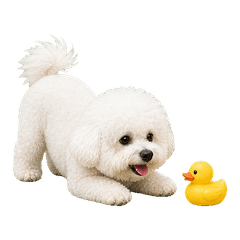
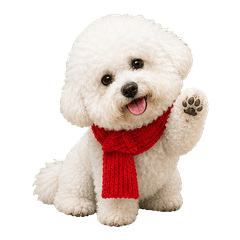
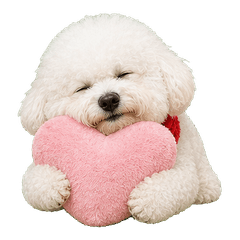
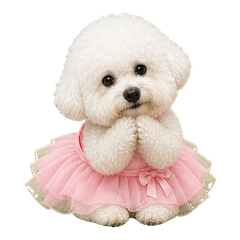
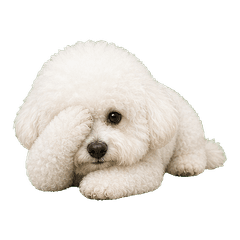
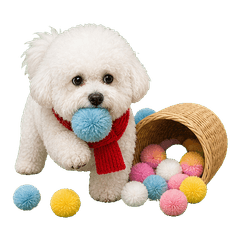
From idea to expression
How to make WhatsApp stickers from a photo
- 01
Upload a photo
Upload a selfie, pet photo, couple photo — or just describe a character idea in words.
- 02
AI builds your character
KakaMeme builds one consistent cartoon character designed to retain recognizable facial traits and natural expressions; results vary by photo and generation.
- 03
Get 12 stickers in one batch
The AI generates 12 transparent-background stickers at once, with optional animated GIF versions.
- 04
Add to WhatsApp
Download the transparent PNG source files, then use WhatsApp’s current create-sticker flow or a trusted importer that handles the required conversion and packaging. Check the preview before sending.
Made for everyday conversations
Why use KakaMeme for WhatsApp stickers
Give the subject of your photo new expressions and poses for everyday replies. The guide below separates your downloads from WhatsApp’s sticker-pack requirements.
Your photo, your character
Use a selfie, a pet photo or a character reference as the starting point for a pack.
Reactions beyond the original photo
Ask for laughter, disbelief, a tiny celebration or a well-earned break. Each image gets its own pose.
Transparent PNG downloads
Download individual images or a pack. Add them to your chat app using its import tools.
Try it with welcome credits
New accounts receive credits for a first static pack. Further generation uses credits; there is no subscription.
FAQ
WhatsApp sticker maker FAQ
How do I add the stickers to WhatsApp?
Download the transparent PNG source files, then use WhatsApp’s current create-sticker flow or a trusted importer. WhatsApp’s official sticker-pack specification uses 512×512 WebP files, so the import workflow must handle conversion and packaging.
Is the WhatsApp sticker maker free?
Registration gives you free credits — enough to generate your first 12-sticker pack. After that you only pay per generation; there is no subscription.
Will the stickers actually look like me?
KakaMeme is designed to retain recognizable traits across the pack, but likeness varies with lighting, pose, source quality, and generation. Review each result before sharing.
Can I make animated WhatsApp stickers?
You can generate animated GIF source files. Convert them with a workflow that meets WhatsApp’s current animated WebP and file-size requirements, then import them as a separate all-animated pack; the official specification does not allow static and animated stickers in one pack.
What photos work best?
A clear, front-facing photo with good lighting works best. Selfies, pet photos, and couple photos all work — or skip the photo and describe a character in words.
KAKAMEME
Give your next reply a little personality
Start with a photo or an idea. Choose your generation options before you begin.