Discord Sticker Maker
Make Discord stickers from one photo
Make 12 server reactions from a teammate, pet or original character. Choose stickers or custom emoji, then prepare your images for that upload format.
- Transparent PNGs
- Optional animated GIFs
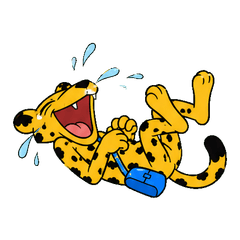
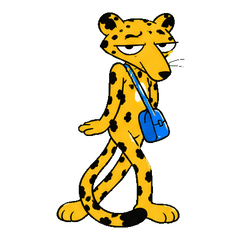
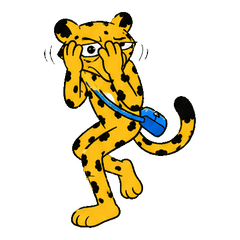
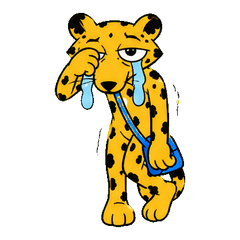
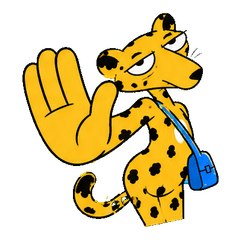
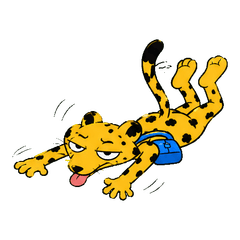
From idea to expression
How to make Discord stickers from a photo
- 01
Upload a photo
Upload a selfie, pet photo, couple photo — or just describe a character idea in words.
- 02
AI builds your character
KakaMeme builds one consistent cartoon character designed to retain recognizable facial traits and natural expressions; results vary by photo and generation.
- 03
Get 12 stickers in one batch
The AI generates 12 transparent-background stickers at once, with optional animated GIF versions.
- 04
Upload to your server
Prepare each PNG for Discord’s current limits, then use Server Settings → Stickers. You need the applicable expression permission, and available slots depend on the server.
Made for everyday conversations
Why use KakaMeme for Discord stickers
Create reactions for a great play, a celebration, a mistake or a moment of disbelief. Server stickers and custom emoji use different Discord upload flows; the guide below keeps them separate.
Your photo, your character
Use a selfie, a pet photo or a character reference as the starting point for a pack.
Reactions beyond the original photo
Ask for laughter, disbelief, a tiny celebration or a well-earned break. Each image gets its own pose.
Transparent PNG downloads
Download individual images or a pack. Add them to your chat app using its import tools.
Try it with welcome credits
New accounts receive credits for a first static pack. Further generation uses credits; there is no subscription.
FAQ
Discord sticker maker FAQ
How do I add stickers to my Discord server?
Prepare each file for Discord’s current sticker requirements, then use Server Settings → Stickers. You need Create Expressions permission; available sticker slots depend on the server.
Can I use them as emojis too?
The same PNG source images can also be prepared for the custom emoji uploader. Check Discord’s current emoji format and file-size rules, then preview the result at emoji size before saving it.
Do they meet Discord’s format rules?
KakaMeme provides transparent PNG source files, not a guarantee of upload acceptance. Discord applies separate and changeable rules to stickers and custom emojis, so verify the current limits and resize or convert each file before upload.
Is it free?
Registration gives you free credits for your first pack; afterwards it is pay-per-generation with no subscription.
Can I make a pack from my pet or an OC?
You can upload a clear pet photo or describe a character in words without a photo. Generated style, details, and consistency vary, so review the pack before upload.
KAKAMEME
Give your next reply a little personality
Start with a photo or an idea. Choose your generation options before you begin.